Posts

Allowing ports through a pfSense firewall

Image
So you want someone to login remotely to access a specific resource on your network without exposing the rest of your systems to the dangers of the internet? These are the steps to follow to either create a new port or ports from a secured Linux distribution through a firewall using pfSense while still maintaining some semblance of security. There is much more that can be done for security, so we will just cover the basics for now. To start, you will need: * The remote user's IPv4 address * Which ports will be exposed to the user's IP address * When to open and close the firewall for the user * The internal server's IPv4 address In addition, you will need the ability to make changes on: * pfSense NAT and Firewall settings, as well as aliases * pfSense Suricata, if applicable * internal server firewall settings * internal server network settings (only if server has gateway disabled) A note regarding pfSense Aliases - if this is just a one-off server & ...

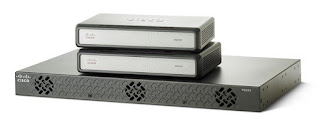
Reset a Cisco VG224 Analog Voice Gateway or 1800 series router

The first method involves setting the configuration register to 0x2142. Most admins use this method to recover a password, but you can recover a password and wipe the configuration at the same time. Follow these steps: Log on to the router, and enter the privileged EXEC mode by entering enable and then entering the enable password command. Enter configure terminal to go to Global Configuration Mode. Enter config-register 0x2142. (This causes the router to ignore the startup configuration on the next reload.) Enter end, and reload the router by entering reload at the Router# prompt. The system will ask whether you want to save the configuration. Enter no, and confirm the reload at the next prompt. After the router has reloaded, the system will ask whether you want to enter the initial configuration dialog. Enter no. Change the configuration register setting to 0x2102 by entering enable and configure terminal to go back to Global Configuration Mode and then entering config-regi...

XenServer 7.1 can't delete a virtual disk that failed a move between storage repositories, VM is broken / will not start

Image
I've run into this issue more than a few times, so here's just enough info to get through this without blowing your virtual infrastructure apart. To avoid this issue in the future, avoid these common mistakes while transferring a VDI between host machines: Don't exit XenCenter while moving a VM between Xen hosts Don't unplug the switch that connects Xen hosts to a Storage Repository Don't shut down the Storage Repository or XenServer hosts during a virtual disk transfer Make sure each VM's virtual disks are named relating to its attached VM's (for sanity) Now that we got that out of the way, lets talk about how Xen sees a VM and its virtual disk. XenServer manages the host machine and connects the host's resources into a resource pool. This is usually the CPU, RAM and network for a virtual machine. Xen auto-assigns a Universally Unique Identifier or UUID to every virtual component so that it can keep track of all these resources without na...

Using a Cisco Analog Voice Gateway with FreePBX

Image
Here's how to use the Cisco VG202 / VG204 / VG224 with FreePBX. Materials list: Cisco VG202 / VG204 / VG224 a server running FreePBX (physical or virtual) a network connection between FreePBX server and port FE0 on the Cisco Voice Gateway a PC or laptop that has a DB9 serial port or USB to DB9 serial adapter PuTTY ssh and telnnet client WinImage CF card reader 64MB or larger Compact Flash card (for Cisco IOS) a Cisco Console cable 66 block with female Amphenol connector CAT3 Telco cable with 90° male to male Amphenol ends a telephone test set  OR  an RJ-11 duckbill jumper cable + regular phone Here is a quick overview of what we will do: Configure the Voice Gateway to receive calls from FreePBX Configure the Voice Gateway dialplan to match and forward to FreePBX Configure FreePBX with a SIP Trunk and Outbound Route to the Voice Gateway First, you will need to acquire a Cisco IOS image like this one  HERE . Copy the image onto the...